
The Short Version
- WooCommerce’s reliance on WordPress, plugins, and self-managed hosting creates ongoing maintenance overhead that many growing brands no longer want to manage
- The migration itself is straightforward for most stores, but WooCommerce’s flexible data structure means product and customer data often needs significant cleanup before it transfers cleanly
- Most WooCommerce to Shopify migrations take 6 to 10 weeks for standard stores
WooCommerce to Shopify is one of the most common ecommerce migrations happening right now, and for good reason. WooCommerce is built on WordPress, which means your ecommerce store shares infrastructure with your CMS, your plugins, your theme, and whatever else your WordPress install is running. For many brands, that setup worked fine early on. But as order volume grows and the plugin stack gets more complex, the maintenance burden becomes real.
Shopify eliminates server management, plugin compatibility issues, and security patching. That is the core reason brands switch. The store just runs.
Why Brands Outgrow WooCommerce
WooCommerce itself is free, but the real cost is everything around it. Hosting that can handle traffic spikes. SSL certificates. Plugin licenses (many of which charge annually). A developer on call for WordPress updates that break something. Security monitoring because WordPress is the most targeted CMS on the internet. When you add it all up, WooCommerce is often more expensive to maintain than Shopify, and it demands more ongoing technical attention.
The other trigger we see is performance. WooCommerce sites with a lot of plugins tend to slow down over time. Page load speed directly affects conversion rates, and fixing WooCommerce performance often means rebuilding parts of the site.
What the Migration Involves
Product data is the first step. WooCommerce stores vary wildly in how data is structured depending on which plugins were used. Variable products, custom fields, and product add-ons all need to be mapped to Shopify’s format. Customer accounts, order history, and blog content can be migrated but require careful handling to preserve data integrity.
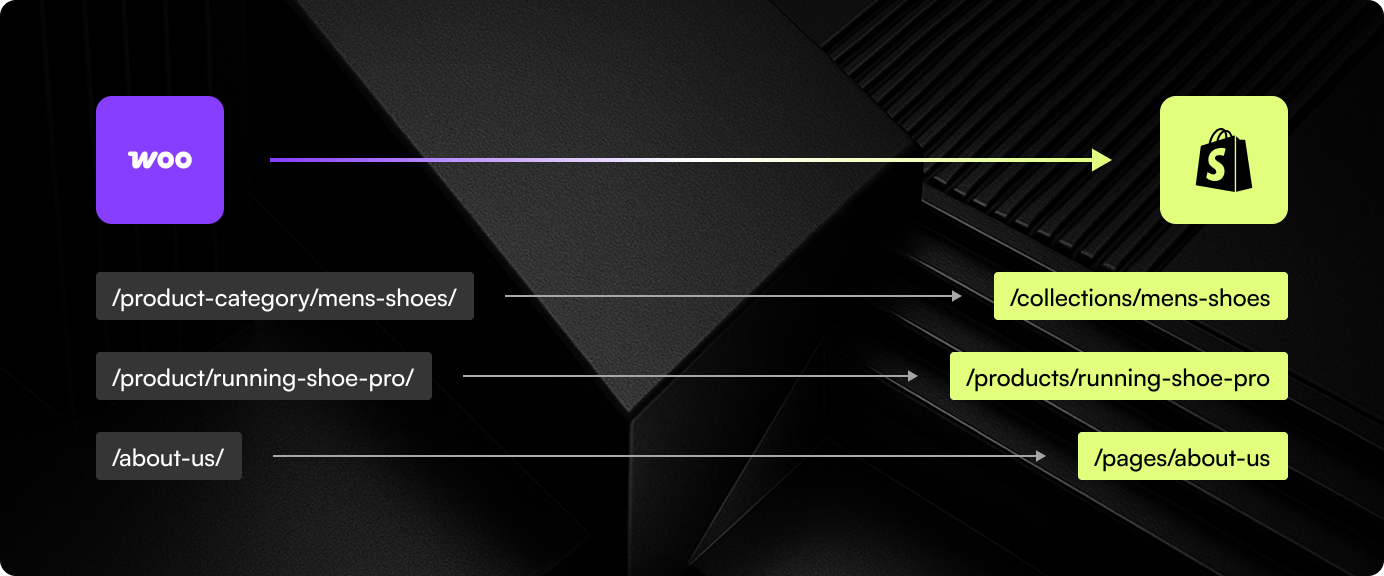
URL redirects are critical. WooCommerce URLs are WordPress-based (often /product/ or /shop/ prefixes) and differ from Shopify’s /products/ and /collections/ structure. A complete redirect map is essential to preserve organic traffic.
Design and functionality come next. If your WooCommerce store relied heavily on plugins for things like advanced filtering, product bundles, or subscription management, you will need Shopify apps or custom development to replicate that functionality.
Timeline and Next Steps
A standard WooCommerce to Shopify migration takes 6 to 10 weeks. Stores with large catalogs, complex plugin dependencies, or custom WordPress functionality may take longer. At port80, we start every WooCommerce migration with a full audit of the existing site so there are no surprises mid-project.
We’ve Done This Before

Expand Furniture
Shopify 2.0 revamp with advanced product customization, 3D visualization, and simplified navigation for modular furniture.
View Case StudyReady to stop maintaining WooCommerce?
We migrate WooCommerce stores to Shopify with clean data, preserved SEO, and zero downtime.