Here’s the Deal
- Shopify can connect to most major ERPs including NetSuite, SAP, Microsoft Dynamics, and Acumatica, but the method and complexity vary significantly
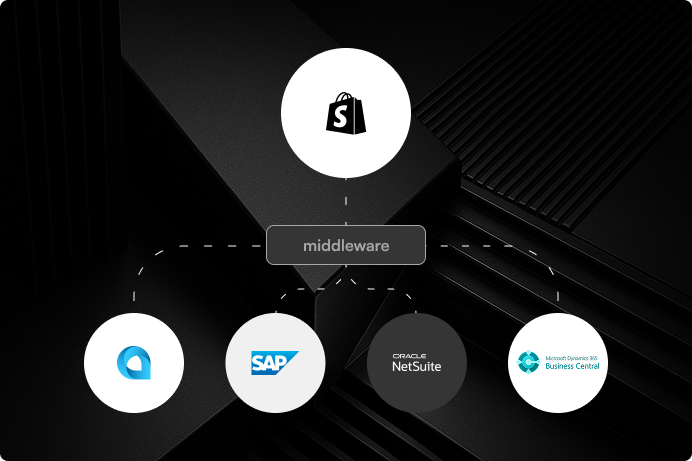
- Some integrations have native connectors or middleware options. Others require custom API development.
- The ERP integration plan should be finalized before migration begins, not treated as a post-launch task
Yes, Shopify can connect to your ERP. But how it connects, how much it costs, and how long it takes depends entirely on which ERP you are running and what data needs to flow between the two systems. This is one of the most important questions to answer before you commit to a Shopify migration, not after.
We have integrated Shopify with NetSuite, SAP Business One, Microsoft Dynamics, Acumatica, and several industry-specific ERPs. Some of these went smoothly with middleware. Others required custom API work. The difference usually comes down to how standardized your ERP setup is and how much customization has been done on top of it.
How Shopify ERP Integrations Typically Work
There are three common paths. First, native connectors or Shopify apps. Solutions like Celigo, Jitterbit, or the NetSuite Connector for Shopify handle common data flows out of the box: orders, inventory, customers, and fulfillment. These work well when your ERP configuration is relatively standard.
Third, fully custom integrations. If your ERP has been heavily customized or runs on a legacy system with limited API support, you may need a custom built connection layer. This is more expensive and takes longer, but it is sometimes the only option that works reliably.
Second, middleware platforms like Alloy, Patchworks, or custom-built integrations via Shopify’s REST and GraphQL APIs. These are the right choice when you need to map custom fields, handle complex inventory logic across multiple warehouses, or sync non-standard data like B2B pricing tiers.
The Data That Needs to Flow
At minimum, most Shopify-ERP integrations need to sync orders, inventory levels, customer records, and fulfillment status. More complex setups add product data management, B2B pricing, purchase orders, returns processing, and financial reporting. The more data points you need to sync in real time, the more critical the integration architecture becomes.
Why This Needs to Be Planned Before Migration
We have seen brands migrate to Shopify first and figure out the ERP connection after. It almost always causes problems. Orders come in with no system to process them efficiently. Inventory counts go out of sync within the first week. The team ends up doing manual workarounds that were supposed to be automated.
The integration plan should be part of the migration scope from day one. That means identifying what data needs to sync, how often, in which direction, and what happens when something fails. At port80, we scope the ERP integration alongside the Shopify build so that both systems are ready to go at the same time.
We’ve Done This Before

Erik’s Bike Board & Ski
VTEX to Shopify Plus 2.0 migration with custom filtering, mobile-first UX, and a 27% conversion lift for a cycling retailer.
View Case Study
Surplus City
Shopify Plus 2.0 migration with streamlined inventory, modernized UX, and scalable operations for a liquidation retailer.
View Case Study
The Boardroom
High-performance Shopify 2.0 migration with editorial design and culture-driven UX for a premium action sports retailer.
View Case StudyNeed Shopify to talk to your ERP?
We build integrations that actually work. Let’s map out what your Shopify-ERP connection needs to look like.