
The Short Version
- BigCommerce to Shopify migrations are generally smoother than Magento migrations because both platforms are SaaS-based, but URL structure differences and custom feature gaps still require careful handling
- The biggest areas of attention are product data cleanup, URL redirects, and replacing BigCommerce-native features with Shopify equivalents
- Most BigCommerce to Shopify migrations take 6 to 12 weeks depending on catalog size and integration complexity
Moving from BigCommerce to Shopify is one of the more straightforward ecommerce migrations, but it still requires a structured approach. Both platforms are SaaS-based, so you are not dealing with server migrations or self-hosted infrastructure. The focus is on transferring your data cleanly, preserving your SEO, and making sure the Shopify store matches or improves on what your BigCommerce store was doing.
Here is what the process actually looks like, step by step.
Step 1: Audit Your Current Store
Before you move anything, document what your BigCommerce store does. Catalog size, product variants, customer data, custom pages, blog content, discount rules, integrations, and any custom functionality. This inventory becomes your migration checklist.
Step 2: Map and Clean Your Data
BigCommerce and Shopify handle product data differently. BigCommerce supports unlimited product options natively, while Shopify has a three-option limit per product (though workarounds and apps exist). Custom fields, product categories, and customer groups all need to be mapped to Shopify equivalents. This is also a good time to clean up old or discontinued products rather than migrating clutter.
Step 3: Plan Your Redirects
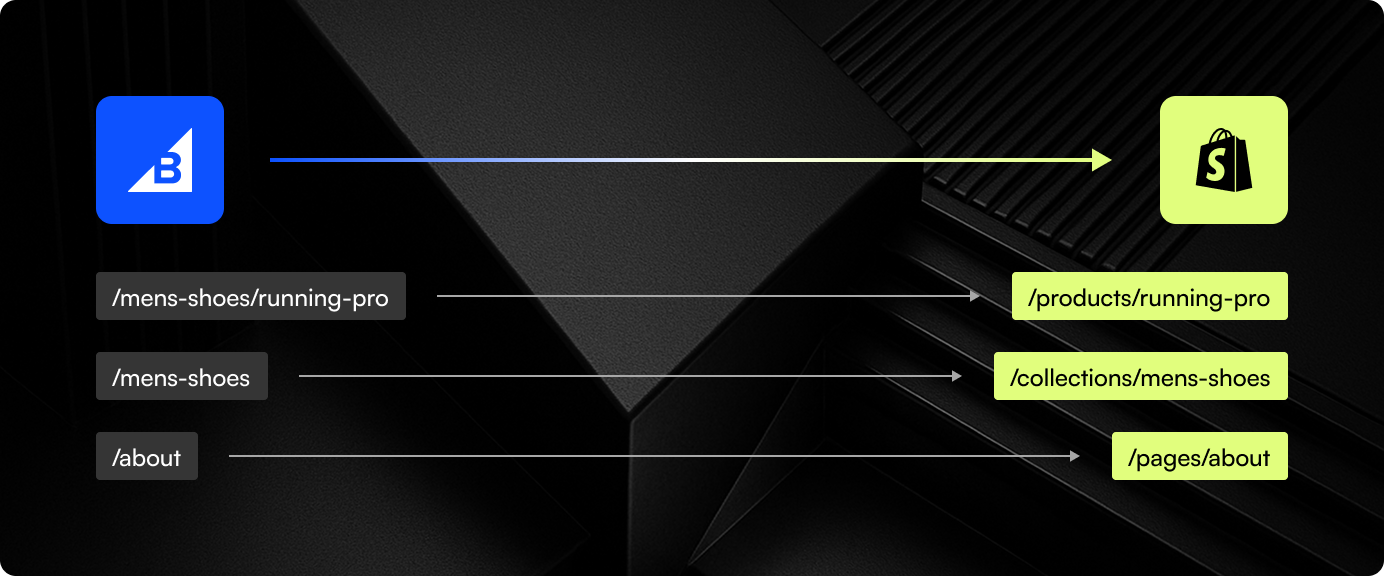
BigCommerce and Shopify use different URL structures. BigCommerce allows customizable URLs at the category and product level, while Shopify enforces /products/ and /collections/ prefixes. Every indexed URL on your BigCommerce store needs a corresponding 301 redirect on Shopify. Miss this step and your organic traffic takes a hit.
Step 4: Build and Configure Shopify
With your data mapped and redirects planned, the Shopify build begins. Theme selection or custom theme development, app installation for any functionality gaps, payment and shipping configuration, and tax settings. If you were using BigCommerce’s built-in features for things like customer groups or advanced product filtering, identify the Shopify apps or custom solutions that replace them.
Step 5: Migrate, Test, Launch
Run the data migration into Shopify, then test everything. Product pages, checkout flow, discount codes, email notifications, integrations. Test on mobile. Test with real orders. Fix what breaks. Then launch.
Most BigCommerce to Shopify migrations take 6 to 12 weeks. Simpler stores can go faster. Stores with complex B2B functionality or heavy customization will take longer. At port80, we handle the full process from audit through post-launch support.
We’ve Done This Before

Hearth & Soul
Shopify 2.0 migration with custom gift registry, service booking integration, and multi-category UX for a lifestyle brand.
View Case StudyThinking about leaving BigCommerce?
We will walk you through exactly what your migration involves and how long it will take.